08. Android Gradle Plugin Update
Android Gradle Plugin Update
When new Gradle and Android Gradle Plugin versions are released, you may see a pop-up message like this:
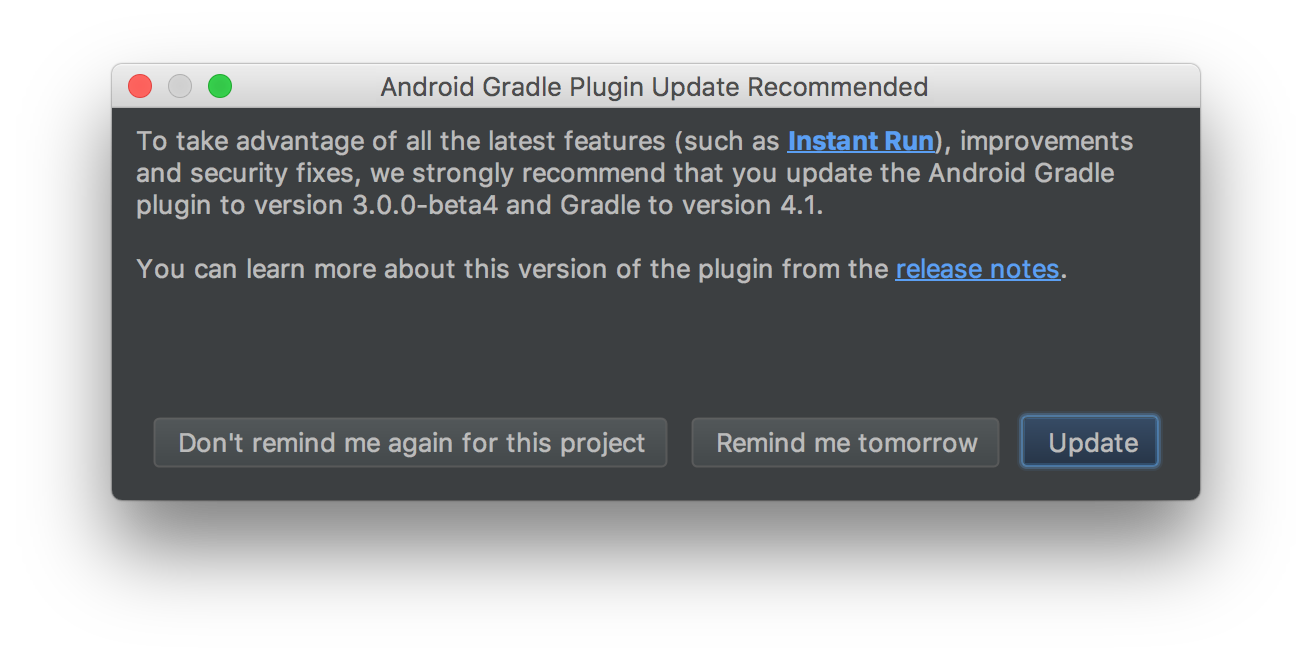
Updating is optional, and the process usually runs seamlessly with one click. Nevertheless, migration to Android Gradle Plugin 3.0.0 from previous versions might require some extra manual fixes depending on the specifics of your build.gradle file. If that is the case, here is a list of common problems and errors shown in Android Studio during the update process, and instructions on how to fix them.

The specified Android SDK Build Tools version (23.0.2) is ignored, as it is below the minimum supported version (25.0.0) for Android Gradle Plugin 3.0.0-beta4.
Android SDK Build Tools 26.0.0 will be used.
To suppress this warning, remove "buildToolsVersion '23.0.2'" from your build.gradle file, as each version of the Android Gradle Plugin now has a default version of the build tools.
Solution:
Update the buildToolsVersion to the minimum required by the Android Gradle Plugin or later. Alternatively, click on Update Build Tools to let Android Studio update it for you.
All flavors must now belong to a named flavor dimension.
Solution: Add dimensions to build.gradle.

Failed to resolve: com.android.support:appcompat-v7:26.0.1
Solution: Add Google maven repository. Alternatively, click on Install Repository and sync project to let Android Studio update it for you.

Execution failed for task ':app:processFreeDebugManifest'.
> Manifest merger failed : uses-sdk:minSdkVersion 10 cannot be smaller than version 14 declared in library [com.android.support:appcompat-v7:26.0.1] /Users/josenieto/.gradle/caches/transforms-1/files-1.1/appcompat-v7-26.0.1.aar/dab71f908316359e65255f92761bcddc/AndroidManifest.xml as the library might be using APIs not available in 10
Suggestion: use a compatible library with a minSdk of at most 10,
or increase this project's minSdk version to at least 14,
or use tools:overrideLibrary="android.support.v7.appcompat" to force usage (may lead to runtime failures)
Solution: Update minSDK to 14 or higher. Note that targeting API 26 is not compatible with supporting SDK versions lower than 14.